

OpenAI has released “a major update” to the Codex that it says will help make the platform a more efficient working tool for users.
Codex will now be able to go “beyond coding” and access other parts of your computer, as well as operate desktop applications on its own, running in the background so as not to interfere with your current work.
Article continues below
A smarter Codex for all
“We’re releasing a major update to Codex, making it a more powerful partner for the more than 3 million developers who use it every week to accelerate work across the full software development lifecycle,” OpenAI said in a blog post announcing the news.
“Codex can now run your computer alongside you, work with more of the tools and applications you use every day, generate images, remember your preferences, learn from previous actions, and undertake continuous, repeatable work.”
The new memory feature, now in preview, will allow Codex to remember useful context from previous experiences, such as personal preferences, corrections, and information that took time to gather, helping to complete future tasks faster and more efficiently. It will also proactively suggest useful work to continue where you left off using the context of projects, connected plugins, and memory.
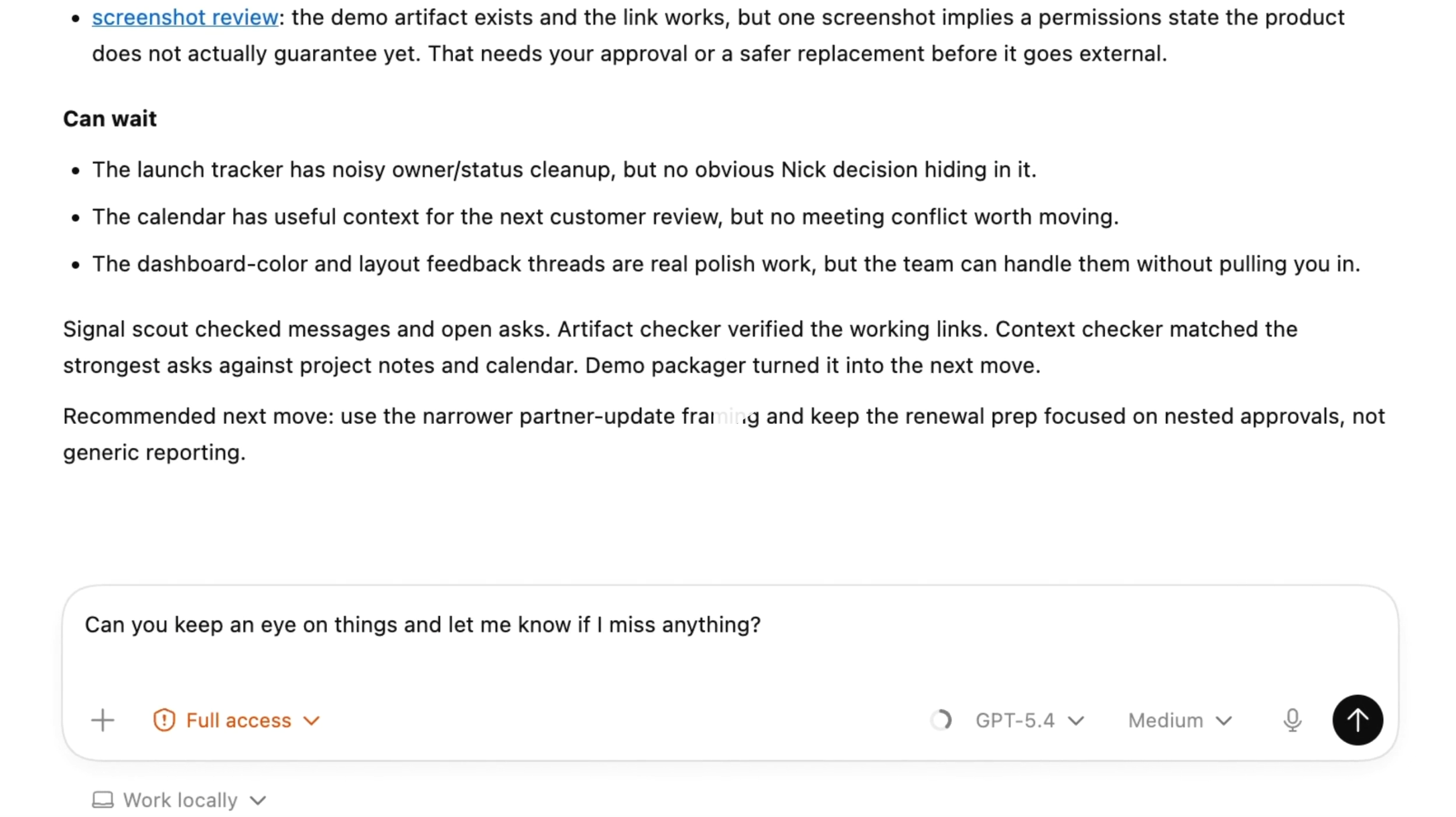
This increased capacity means that multiple agents can now work together on a Mac at the same time, but avoid interfering with your work in other applications – a tool that OpenAI notes could be useful to developers iterating on frontend changes, testing applications, or working in applications that don’t expose APIs.
Codex now also includes an in-app browser, allowing users to directly comment on pages to provide precise instructions to the agent, which again could be useful for frontend and game development.
When it comes to image generation, Codex will be able to use gpt-image-1.5 to quickly create visuals, which, combined with screenshots and code, will help workers create product concepts, front-end designs, mockups, and games within the same workflow.
Elsewhere, it’s also possible to process review comments from GitHub, run multiple terminal tabs, and users will also be able to open files directly in the sidebar with rich previews for PDFs, spreadsheets, slides, and documents, and use a new summary pane to track plans, sources, and agent artifacts.
All updates are rolling out to Codex desktop app users signed in with ChatGPT, with personalization features (including contextual suggestions and memory) coming soon to Enterprise, Edu, and EU/UK users, and desktop use initially available on macOS, before rolling out to EU/UK users soon.

Follow TechRadar on Google News And add us as your favorite source to get our news, reviews and expert opinions in your feeds.


