

- Google Photos has revealed a series of upgrades to its video editing software, taking inspiration from CapCut
- You can now choose from a range of video templates to create a hassle-free short-form video, and there’s even the option to add music and text.
- Google also announced that its revamped video editor has become the default editing software on Android.
Google Photos is undergoing another round of changes and the photo service has started rolling out major upgrades to its video editing tool, adopting features similar to those in CapCut, one of our best video editing apps.
Short-form video editing apps are more popular than ever in the age of ubiquitous TikToks and Instagram Reels, and now Google Photos has decided to tap into this market. The company announced in a blog post that “creating and editing your videos is easier than ever with the new features you’ve asked for,” and says the updates are now available to select users.
Except for one new feature, all new Google Photos upgrades are available on Android and iOS devices. So what’s new?
Templates, a new timeline and more
For starters, Google Photos finally offers templates, making it much quicker to create a video with different clips – perfect for video editing newbies. Each template comes with its own music, text, and cuts synchronized to the beat of the soundtrack.
All you have to do is select the images from your Google Photos gallery that you want to use in the template of your choice, and a TikTok-worthy trailer will be created in seconds. This tool is only available on Android at the moment, but iOS users are not missing out on other exciting new updates.
Google Photos’ video editor itself is also getting a major overhaul, which the company says makes it more user-friendly for everyone, but the biggest upgrade is the new “universal timeline.” Similar to features like CapCut, this new editing view lets you see all the clips and photos you’ve added to a video in one place, where you can easily trim individual clips and drag them to rearrange them – nice and easy.
Find the perfect soundtrack and add funky text
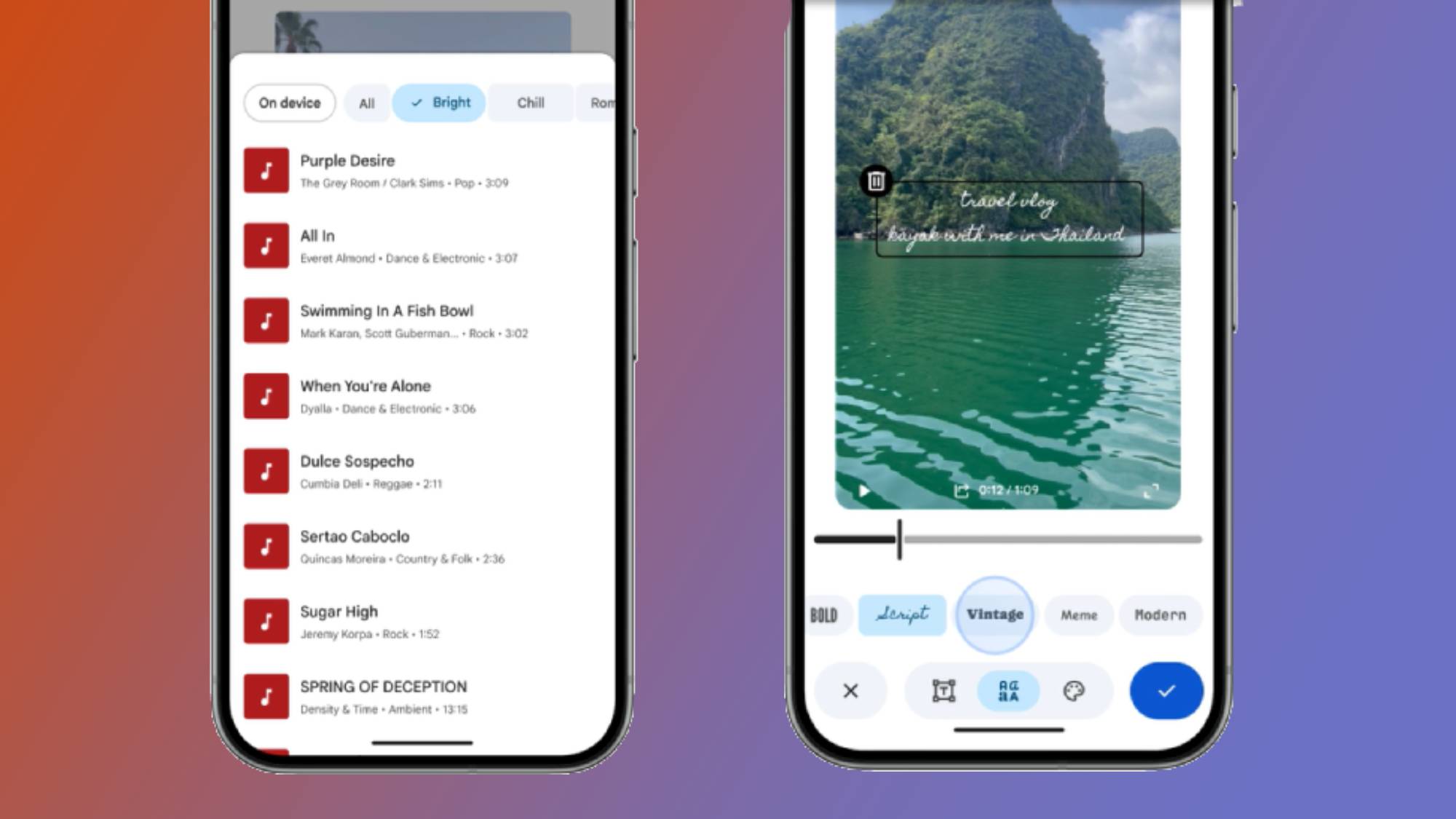
You can create the best short-form video ever, but it only really comes to life when you overlay it with a catchy tune, and that’s another handy Google Photos upgrade. Soundtracks are now available in the redesigned video editor, and you can now search Google Photos’ music library for a song that perfectly matches your soundtrack content.
In addition to adding music, there is a new custom text option that you can overlay on your highlight reels. You can choose from a wide range of fonts, colors and text backgrounds to make your final video montage stand out.
To top it all off, Google revealed that its redesigned video editor has now become the default editing software on Android when you want to edit individual videos. All you need to do is open a video from your gallery and select the Edit button to get started. You even have the option to add text and music to individual videos, just like trailers.
As mentioned, all of these features are currently rolling out to Android, and most to iOS, and if you don’t have access to them yet, don’t worry – Google says the new video editing tools are coming soon, so you’ll be able to put your creative skills to good use.
Follow TechRadar on Google News And add us as your favorite source to get our news, reviews and expert opinions in your feeds. Make sure to click the Follow button!
And of course you can too follow TechRadar on TikTok for news, reviews, unboxings in video form and receive regular updates from us on WhatsApp Also.


