
- Apple unveiled a digital ID feature as part of its Wallet app
- Tool lets you present passport information at US airports
- It can only be used for domestic flights, not international flights.
Apple just launched Digital ID, which the company describes as “a new way for users to create an ID in Apple Wallet using their U.S. passport information and present it with the security and privacy of an iPhone or Apple Watch.”
But how exactly will this new feature work in the real world? Where can you use it and what places won’t accept it? We’ve gone into detail to find out everything you need to know.
First, the digital ID is stored in Apple’s Wallet app, which means you can view it by quickly double-clicking the side button on your iPhone. We’ll explain how to create a digital ID shortly, but the process is relatively simple.
One of the main intentions of digital ID is to allow you to verify your identity in a US airport. Apple says it’s rolling out in beta at more than 250 airports in the US and will allow you to quickly prove your identity without having to take out your passport.
It will also eventually be something you can use for age verification and online identification, although this isn’t available yet.

Note that digital ID will only be valid for domestic flights within the United States, not international flights. And while it’s a digital identification method that can be used at TSA checkpoints at airports, Apple says it’s not meant to replace your passport. It “cannot be used for international travel and border crossings in place of a U.S. passport,” Apple says, so you’ll need to make sure you always have your passport with you if you plan to cross the border.
While this is limited to air travel for now, Apple says there will be “additional digital ID acceptance use cases coming in the future.” Apple’s Wallet app can already store digital copies of your driver’s license and ID card, with Digital ID’s passport capabilities joining those items on your iPhone.
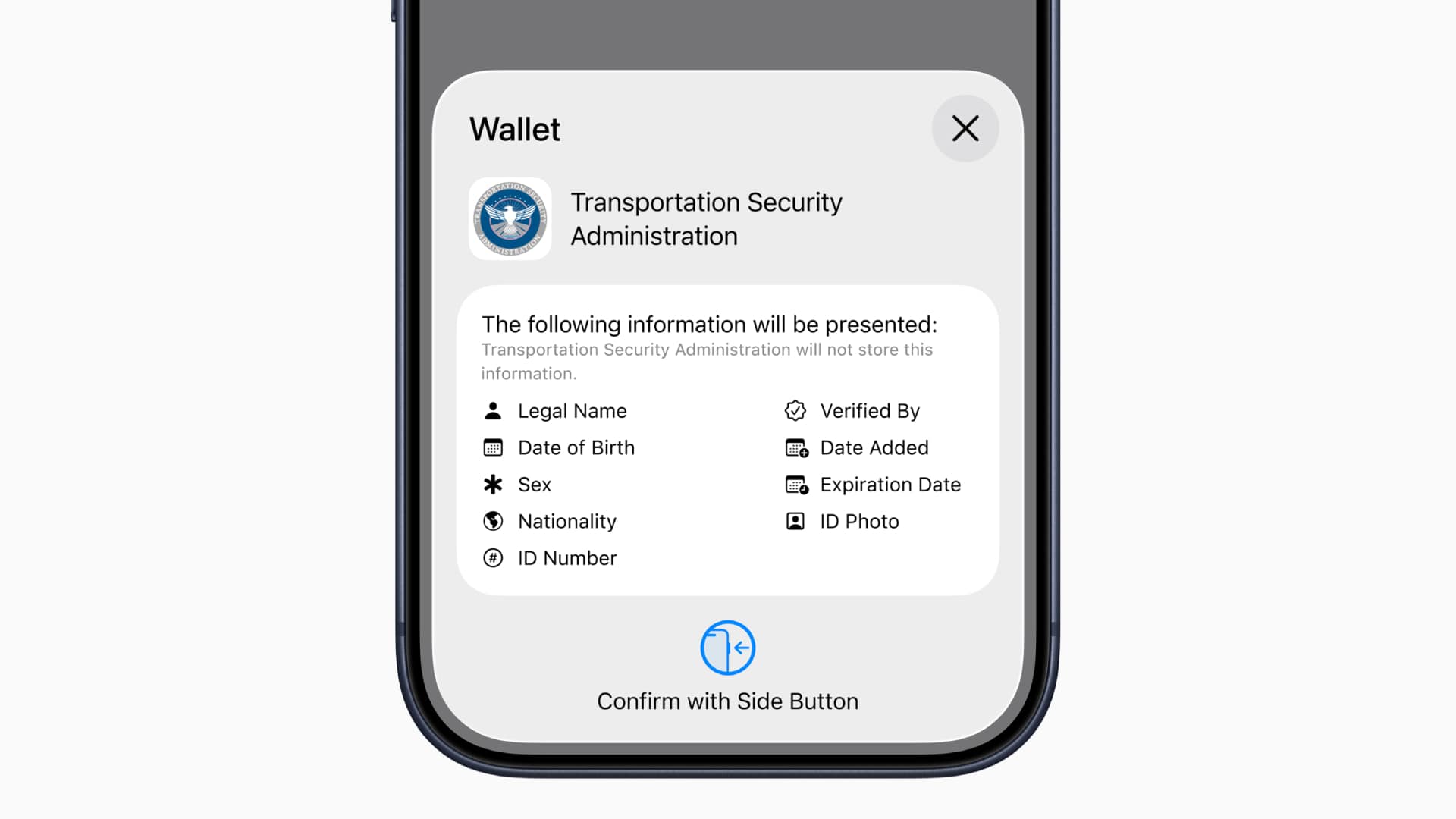
If you’re concerned about privacy and security, Apple insists that your digital ID is encrypted. Your passport data is stored on your device rather than in the cloud, and Apple “can’t see when or where users present their ID, or what data was presented.” Digital ID can be used without needing to unlock your iPhone, and you can review all information presented to TSA agents before proceeding. Everything is also secured by Face ID or Touch ID.
How to create and use a digital ID
To get started and add your digital ID to your iPhone, open the Wallet app and tap the + button at the top of the screen. Choose a driver’s license or ID card, then choose a digital ID and follow the on-screen instructions.
Using your iPhone’s camera, you will then need to scan the photo page of your passport and the chip embedded in the back. After that, take a selfie for verification. Once you’re done, you’ll be prompted to “perform a series of facial and head movements,” much like those required when setting up Face ID on your iPhone. Once this step is completed, your digital ID is added to your wallet.
When you go to use it, all you’ll have to do is double-click the side button on your iPhone to bring up the Wallet app, select the digital ID, show it to the TSA staff member or ID reader, and then use Face ID or Touch ID to verify.
Apple adds that “in the future, users will be able to present their digital ID to other selected businesses and organizations to verify their identity and age in person, in apps, and online,” although this is not yet available.
Follow TechRadar on Google News And add us as your favorite source to get our news, reviews and expert opinions in your feeds. Make sure to click the Follow button!
And of course you can too follow TechRadar on TikTok for news, reviews, unboxings in video form and receive regular updates from us on WhatsApp Also.


