
- macOS 26.5 lets you power up your Mac mini in a new way
- No need to press the power button anymore
- Some users feel that the power button is in an awkward position
Apple’s Mac mini M4 is a great little device – it’s one of the best mini PCs money can buy, in fact – but there’s one feature that has attracted its fair share of criticism: the power button. Located on the bottom of the device, this means you either have to turn the Mac mini over or blindly reach for it every time you want to turn on the pint-sized computer.
But now that macOS 26.5 is here, users are discovering that there is a convenient way to get around this annoying inconvenience. And that could mean you’ll never have to worry about awkward button placement again.
As spotted by 9to5Mac, a new support document on Apple’s website explains how to turn on a Mac mini, Mac Studio, or iMac without having to touch a physical button on the device. Instead, your Mac can be turned on simply by connecting it to power. This works provided you have a Mac mini or iMac from 2024 or later, or a Mac Studio from 2025 or later. You will also need to run macOS 26.5 or later on your computer.

Once that’s set, all you need to do is open the System Settings app, then click Energy in the sidebar. Next to “Start when power is connected,” choose Always from the menu. Now you can turn on your Mac every time you connect a charging cable or turn on an already connected cable. Apple simply advises you to wait about 30 seconds between turning your Mac off and on again to give the power time to discharge.
Apple’s strange design choice
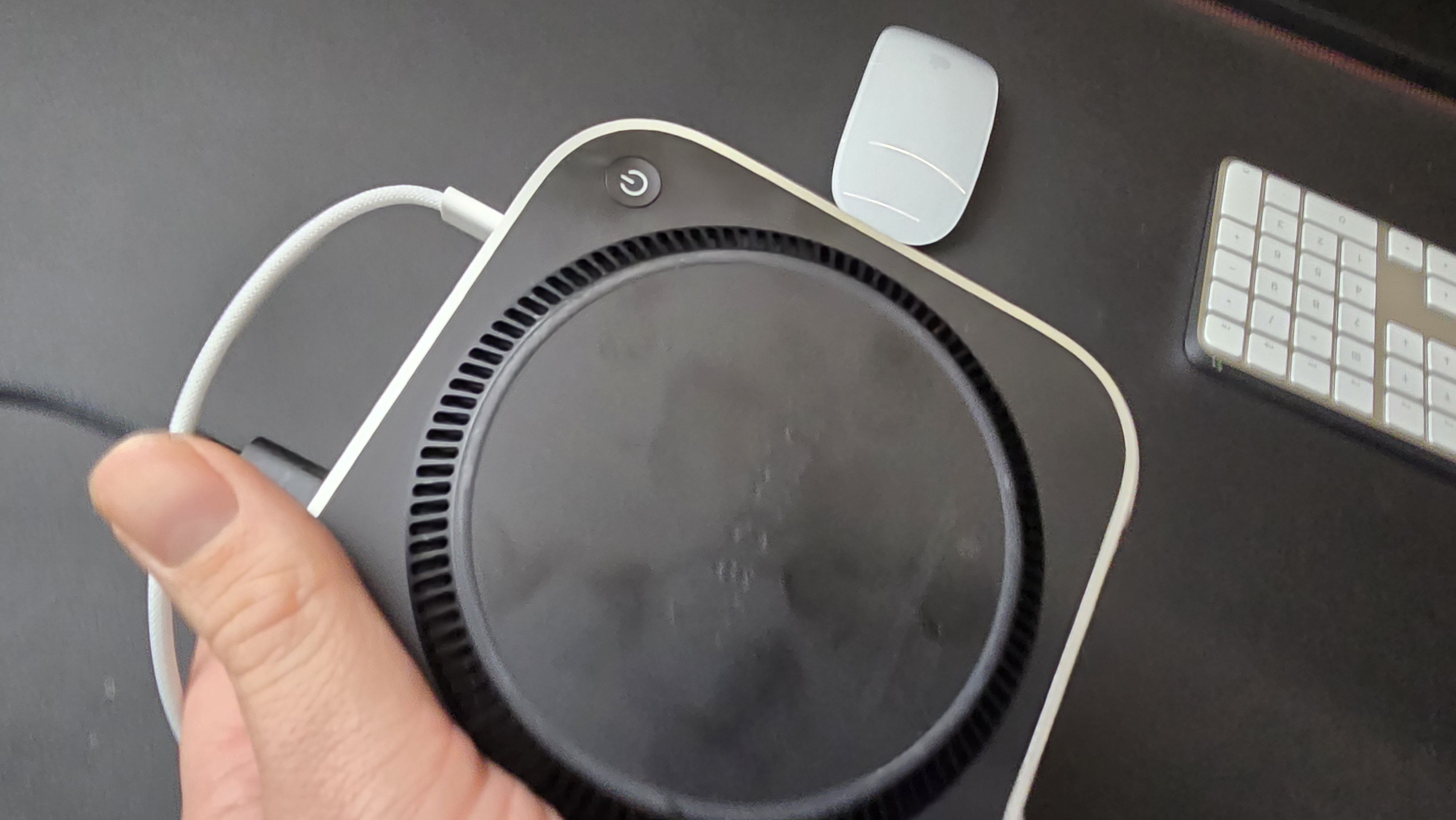
When we reviewed the M4 Mac mini, we called the power button placement an “odd choice” and “not one of Apple’s better design choices.” While it wasn’t enough to detract from our five-star verdict, it was still a feature we could have done without.
At the time, the response on Reddit was mixed. User YZJay, for example, described it as “low-key and hilarious.” Others, however, were more generous, saying they barely turn off their computers anyway. This included user Eubank31, who said: “I’m not a big Apple guy, but the number of times I needed to turn off my 2020 [MacBook Pro] since I got it it’s probably less than 20. And I use it every day at university and after classes for development work/projects. Apple, for its part, says people “hardly don’t use” the button anyway.
Interestingly, macOS 26.5 includes another change that may benefit people who are tired of the Mac mini’s power button. In its release notes, Apple describes a new “power control setting” in the Power section of System Settings. This “lets you turn off or restart your Mac using assistive accessories like switches,” Apple says, meaning you don’t even have to worry about plugging in a power cable to turn on your Mac.
If you find yourself regularly hitting the power switch on your Mac mini, the latest changes in macOS 26.5 could put an end to a minor headache. Apple is rumored to be working on an M5 Mac mini, but with no new physical design expected for several years, this software change is your best bet at solving the power button conundrum for a while.

Follow TechRadar on Google News And add us as your favorite source to get our news, reviews and expert opinions in your feeds.


