
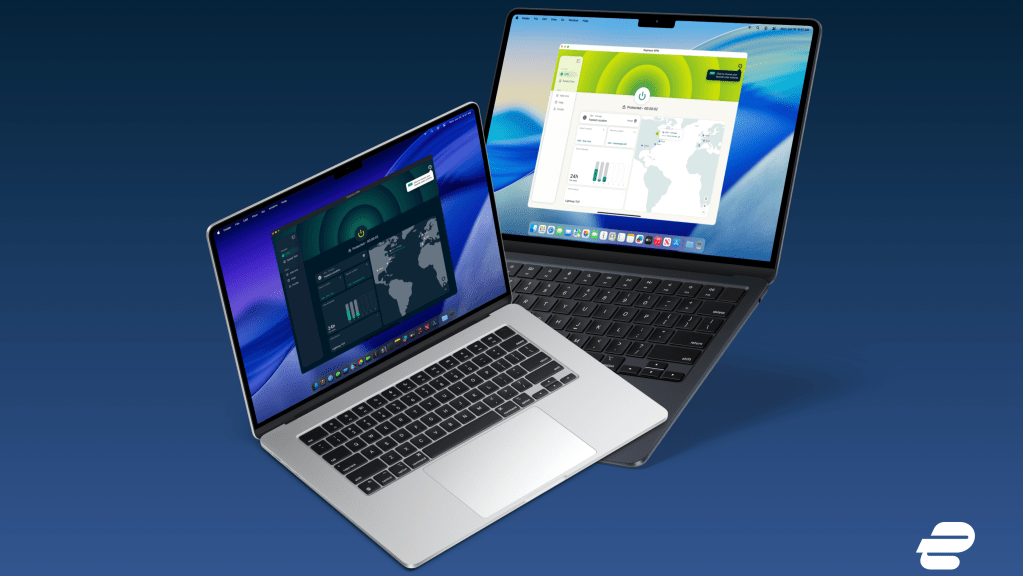
- ExpressVPN has rolled out version 14.2.0 to its Mac, Windows and Linux apps,
- The update opens the app in compact mode by default, with a cleaner look
- New MCP server lets AI coding tools read and control your VPN connection
ExpressVPN just rolled out version 14.2.0 to its three desktop apps, and the main change is a neat new coat of paint.
Released on June 17, 2026, the ExpressVPN update arrives simultaneously on Mac, Windows, and Linux, keeping the experience consistent no matter which platform you’re on.
It’s not the kind of substantive overhaul we saw earlier this year, but it’s a series of refinements that should make everyday use a little smoother. Most of the work is visual, with a tight layout and several sections featuring a cleaner design, with accessibility also mentioned.
The provider, which we consider one of the best VPN services on the market, has officially added an MCP server to all of its desktop apps after a successful beta. This gives AI coding tools a way to control your VPN connection directly from your development environment.
A new look at all levels
The most notable change is the redesign. The app now opens in compact mode by default and the layout has been tweaked for better readability and spacing. The Add-ons section benefits from a cleaner map design that makes each add-on easier to find and use, while Advanced Protection has been visually updated for a cleaner, more consistent look.
The dedicated IP configuration pages have also been redesigned to match the latest visual style, with some small compact mode layout issues fixed at the same time.
These changes build on ExpressVPN’s broader overhaul introduced earlier in the year, when it moved away from its ultra-simple approach and toward a home screen that displays more information and gives instant access to key settings. The iconic giant “Connect” button is always front and center, with just other things to look at around it.
There’s also a handy addition under the hood. A new background latency switch lets you turn off the latency controls that feed the on-screen map, and if you turn them off you can simply refresh locations manually.
In a step forward in accessibility, ExpressVPN also lists improved keyboard focus and better screen reader support among the changes in this version. This is a welcome solution considering that in our last ExpressVPN review we highlighted how keyboard navigation has actually gotten worse due to the new layout.
A greater advance towards AI
The notable functional change is the arrival of the MCP server.
ExpressVPN first gave AI agents the power to control your connection in March, but only in beta. The new update seems to include the official stable version.
In short, the Model Context Protocol server acts as a local bridge between your AI tools and your VPN. It works with MCP-enabled clients including Anthropic’s Claude Code, OpenAI’s Codex, and Cursor, allowing an AI assistant to read and control your connection without ever leaving your coding environment.
For developers who already rely on AI tools, the appeal is obvious: VPN controls are traditionally located outside of these workflows, so being able to manage your connection through natural language prompts removes a bit of tedious context switching.
Should it be updated?
Yes.
While there’s nothing here that fundamentally changes the app’s behavior, the cleaner layout, tidier Add-ons and Advanced Protection sections, and new background latency control add up to a more comfortable experience.
The MCP Server, on the other hand, is a truly forward-thinking addition for anyone working alongside AI coding tools.
Follow TechRadar on Google News And add us as your favorite source to get our news, reviews and expert opinions in your feeds. Make sure to click the Follow button!


