

- A simple test can see how well you can recognize lossy formats using your own music choices.
- Beyond a certain point, most people can’t easily tell the difference
- High-quality lossless format remains the most scalable format
With music, how much is enough? When you listen to digital music, what you hear depends on the original master, the file format and most importantly, whether it is lossy (reducing sound quality to reduce file sizes) or lossless, which is pristine and perfect. If you’re serious about sound, lossless will beat lossless every time.
RIGHT?
Maybe not.

On the r/audiophile subreddit, a user called vlad1m1r shared a tool that tests how well you can differentiate between different quality levels and formats. Can you tell the difference between a lossless FLAC or WAV and a 320 kbps MP3, even if it’s music you listen to all the time and know inside and out?
According to Apple Music head Oliver Schusser, most people can’t. Speaking to Billboard, he said that “honestly, if we did an anonymous test on a simple iPhone with headphones… I can tell you that most fans wouldn’t be able to tell the difference.”
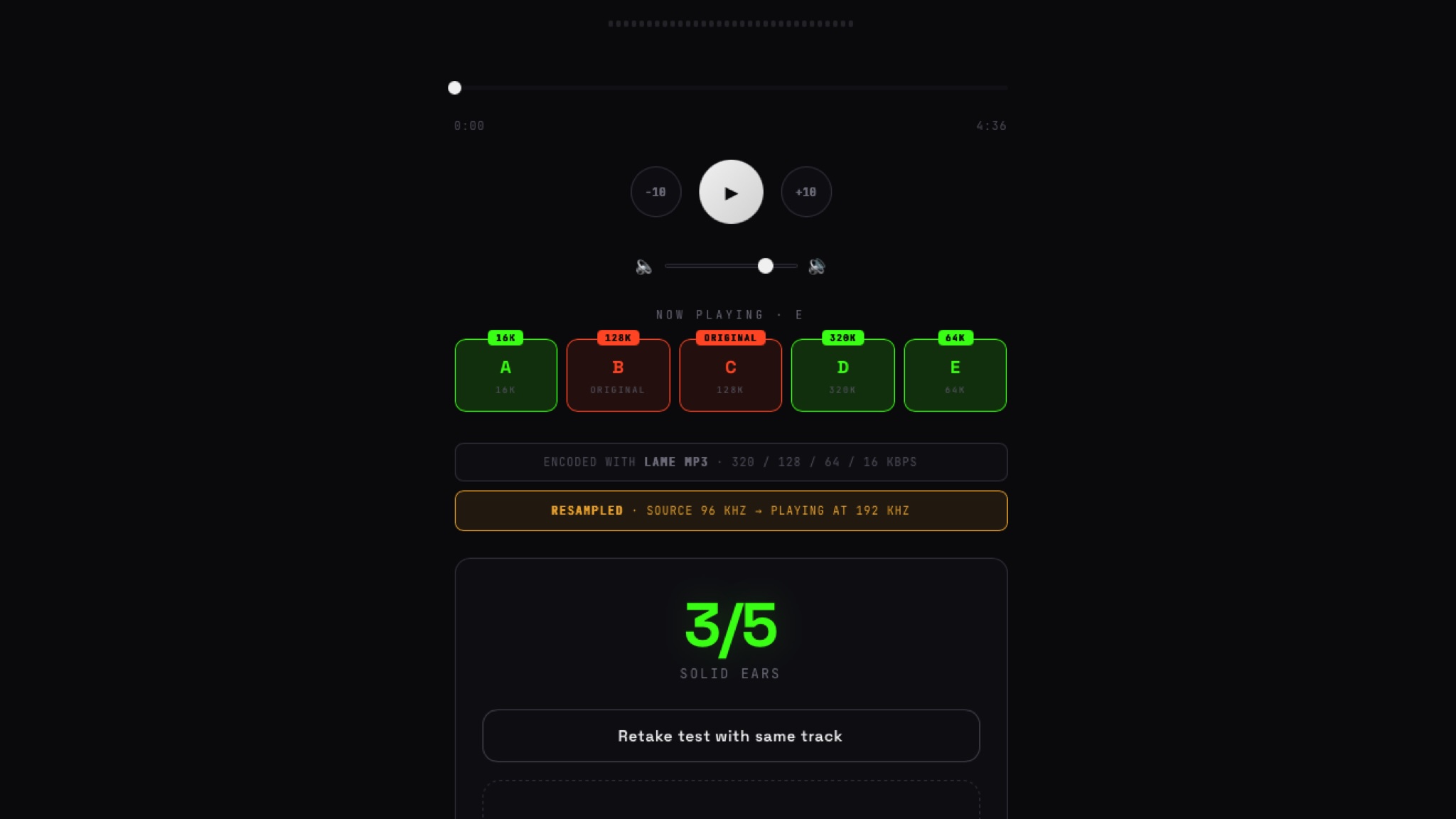
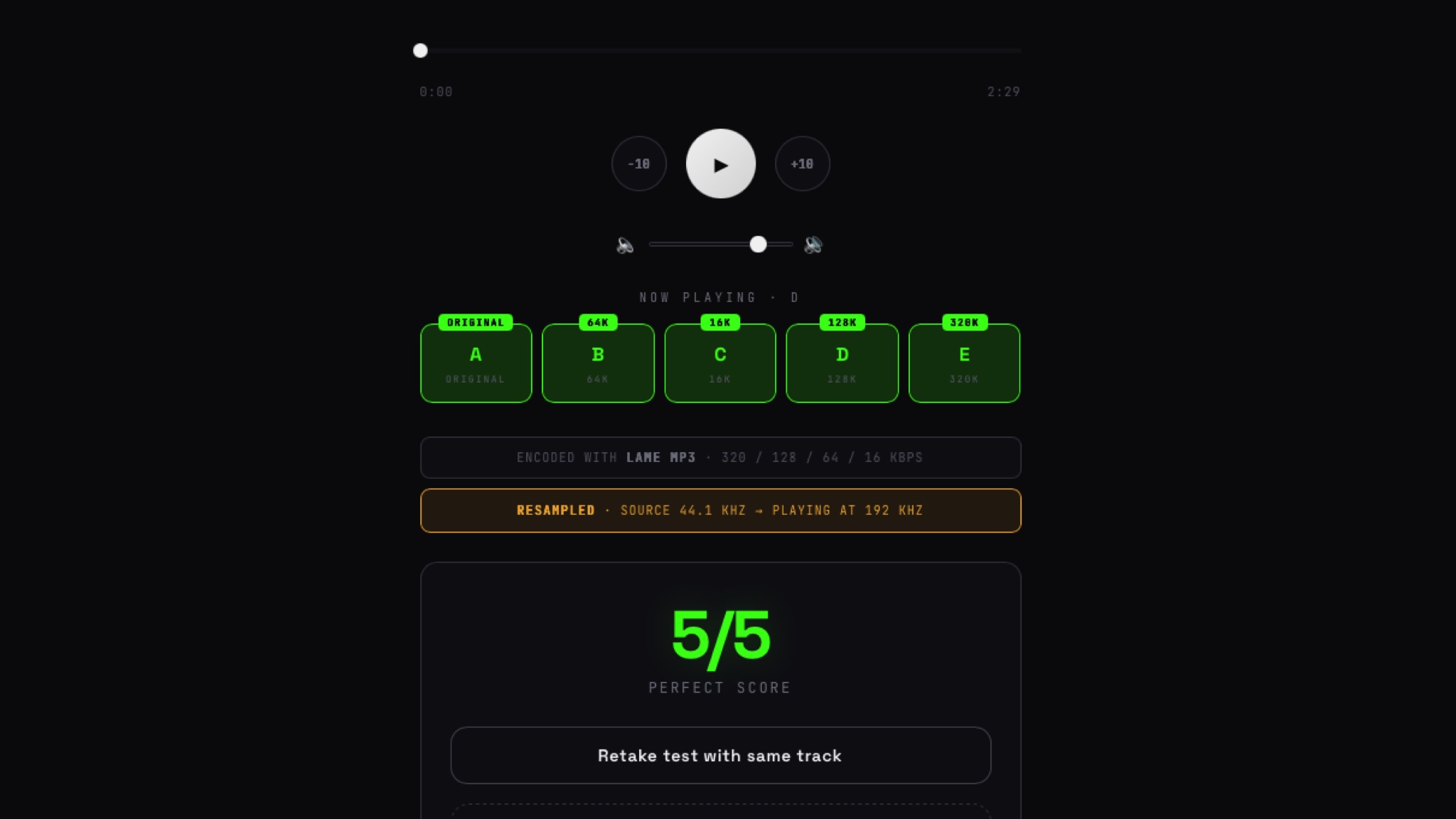
Is he right? It turns out there’s an easy way to find out. Vlad1m1r’s Flactest runs in your browser and lets you drag a FLAC, WAV, or AIFF file onto the app, at which point it will re-encode it at different MP3 bitrates and play them to you without revealing which is which.
And at the risk of sounding clickbaity, the results might surprise you. They certainly surprised vlad1m1r, who was having trouble telling the difference between an uncompressed FLAC and a high-bitrate MP3.
The editors had fun with it and I thought I’d join in. I have a very nice setup, compatible with hi-res audio. Are my headphones, speakers and ears good enough to detect often very subtle differences?
The problem with testing
One of the problems with listening tests is that you can’t always be sure you’re listening to the same version when comparing different formats and bitrates. Some versions, particularly those by historical artists, have been released multiple times and in some cases remastered, which is likely to change the sound more than a minor difference in encoding rate.
Of course, the quality of the source isn’t the only factor that will affect what you hear. The speakers you use, their location and the acoustic qualities of your room make a difference, as do the type of headphones you use, the DAC you have and the volume level at which you play the music. All of this will also shape the sound.
Flactest solves a lot of these problems for testing purposes because all of these things remain constant. You provide a single original, then it re-encodes it into multiple MP3 resolutions via the same LAME codec, while playing your original intact. This means you get consistency: you’re listening to the same song from the same source on the same hardware and software when you switch between the five mystery formats it offers.
It’s worth noting that another factor comes into play here, and it will apply to anyone who is no longer a teenager: age. As we enter adulthood, we begin to lose the high notes of our hearing, which means that a 50-something like me won’t hear the same high notes that I could easily discern at 15 years old. So if encoding changes make a difference in the higher frequencies, where many digital artifacts tend to reside in compressed MP3s, I may not be able to hear much of a difference.
Pure FLAC attack
I listened to several songs in two ways: on my large Adam studio monitors via an SSL 2 audio interface, and on open-back BeyerDynamic DT990 Pro headphones via an iFi desktop DAC.
My source files were 44.1kHz WAV and 16-bit/44.1 and 24-bit/96kHz FLAC, with songs I’ve been listening to for years – Radiohead, U2, Talk Talk, etc. – as well as music I created myself on my Mac.
Low-bitrate MP3s were easy to spot because they sounded atrocious, like they were being played in the next room by someone with a really bad stereo. At 16 kbps or 64 kbps, MP3 compression is really evident, and the quality increases noticeably when you move to 320 kbps on busier tracks where there’s a lot going on. Tells are distorted, fizzy guitars and acoustic instruments, particularly cymbals and hi-hats that become visibly “splattery” as you lower the bit rate.
But after 128 kbps it became tricky for me. Time after time, I often couldn’t tell the difference between the 320kbps MP3s and the lossless originals.
Perhaps the trick to discerning the differences is to listen to the same music over and over again. When I did the tests using my own music – songs I currently mix – I got perfect scores. This makes sense, because I obsess over little details in these tracks, like the fizz of a drum machine hi-hat and the punch of a bass guitar, and I listened to these things over and over again as I tried to perfect them. But it’s a different type of listening than when I listen for pleasure.
For me at least, the answer is clear: I can’t tell the difference between the highest quality MP3 and the same song in FLAC on my headphones or speakers. But that doesn’t mean I won’t do it in the future.
No loss
It is well known that with few exceptions, most of us cannot hear the difference between a very high bit rate lossy file and a lossless file on common audio equipment. Once you get to 192 kbps or more, it’s much more about the quality of your components: your stereo, your amp, your speakers, your headphones.
However, if you run the tests and find that you can’t tell the difference between lossless and slightly lossy, that doesn’t mean you should stick with encoding or buy everything in 320kbps MP3 or AAC equivalent. High-bitrate lossy compression is always lossy, and once music information is deleted, you can’t get it back.
Oversampling can give a better estimate with impressive results, but it’s still just a guess rather than discarded data. So, for long-term storage, it’s worth saving your digital music in the highest quality lossless format available, even if owning a high-end system isn’t in your immediate future – because if you get a better kit later, you might regret not having higher quality files.
I know from reviewing high-end headphones and experiencing proper audiophile systems that cost way more than my car, that with the right equipment you’ll hear details that lower-quality kits get buried in the mix.
And that’s why I think it’s wise to future-proof your digital library. You just don’t know what you’ll be listening to in years to come. I thought I was smart enough to rip CDs to MP3 at 160 kbps back in the days of the iPod, because I didn’t have enough hardware to need anything better – a choice I now regret as I long ago discarded the original CDs. Today I’m on eBay and buying several again.
Are you planning to buy a new television?
Try our TV size and model finder! You tell it how far you’re sitting from your TV, we’ll tell you what size to buy based on viewing angle advice from picture quality experts, and we’ll recommend our three best TVs of that size at different prices.

Follow TechRadar on Google News And add us as your favorite source to get our news, reviews and expert opinions in your feeds.


