
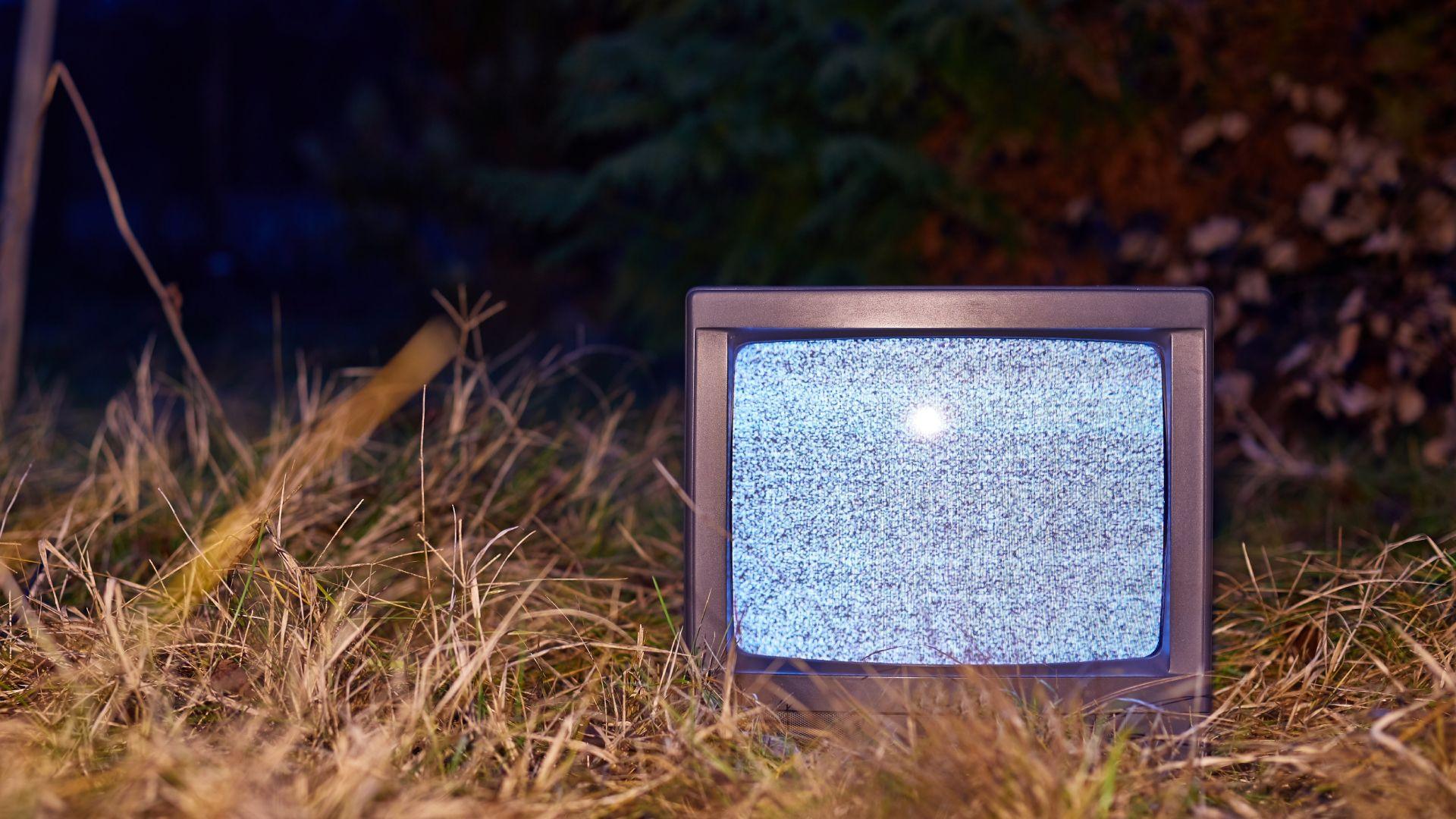
- New app simulates a CRT monitor or TV image for Mac and iOS
- It’s incredibly detailed and realistic, even simulating the chemistry of phosphors.
- Fans are very impressed and the app has a growing following, with calls for both Windows and Android versions.
Have you ever missed the days of big, imposing CRT monitors or televisions? If you do, a new iOS and macOS app gives you the opportunity to relive those images from the past, with a very in-depth simulation of the image quality on offer.
A Redditor has developed the retro Analog TV Simulator, which is a passion project that really attempts to capture the authentic look of a CRT (cathode ray tube) and analog broadcasts, including simulating the physics involved.
The Analog TV Simulator app recreates “the entire analog TV pipeline from first principles”, and this includes simulating elements from broadcast image interference to CRT phosphor glow.
Article continues below
The developer (Alastair Bor) explains that there are “no filters or post-processing shortcuts – each artifact (spot analysis, chroma smears, phosphor persistence, ghosting, etc.) emerges naturally from the physics (and phosphor chemistry).”
You get simulation of various standards (like NTSC and PAL, and more), as well as VCR formats (VHS and Betamax, and more), and even historical test cards. (Like the BBC effort that I’m very familiar with from my childhood here in the UK – yes, the TV would turn off at midnight in the early 1980s, and you’d get a test card or pattern on the screen, with a constant, annoying beeping sound to force you to bed).
On Mac, you can route any game or video player through the app to view it in CRT mode, or even any window, or input from capture cards, USB webcams, etc.
It’s all very cool, and you can download the app for macOS here (priced at $2) and iOS here (for $1), or test versions are free via the app’s website if you want to try without paying.
Magnet mode and much more
This is a truly impressive and in-depth project. There are even controls, such as emulated service menu adjustments – with geometric settings such as cushion or tilt – as well as various Easter eggs.
One of these is “magnet mode”, and again, anyone who owned an old TV or monitor back in the day will be familiar with what happens if you place a magnet nearby (a sort of psychedelic on-screen experience). The developer even included a simulated degaussing button to return the screen to normal.
Another Reddit resident observes: “I’ve played on the macOS version – it’s a lot of fun, and as someone who’s made a career out of making ugly videos for network TV, I’ve played with many plug-ins and have also been known to transfer HD footage to tape and beat on the VCR while re-encoding so I can play it back on a 30 year old CRT at 24 fps… it’s VERY cool.”
Another Redditor noted, “Damn, this is like a dream come true for me. Insta bought it on my iPhone, and I’m already amazed. I can’t wait to try it on the bigger iPad screen later when I’m home!”
The idea here is to provide an experience that is both fun and educational, and it certainly seems to work well on both levels.
The app is currently available for download for Mac and iOS devices, as noted. However, there are many requests for the developer to produce Windows and Android versions of the software, and I expect this interest to grow. The developer could eventually port it, stating on Reddit that: “I might be able to use an AI tool like Claude Code to port it to Windows.” »
I still remember the old CRT I played Doom and Quake deathmatches on – as ridiculously bulky as it was, that monitor provided very smooth gameplay for a competitive shooting session. And as for my Sony 32-inch widescreen CRT, I still remember that behemoth of a TV fondly (my back remembers it too, but not so fondly through several moves and living room furniture reshuffles).
CRT enthusiasts should note that not too long ago a retro gamer pushed his old Iiyama Vision Master Pro512 CRT monitor to an incredible smooth 700Hz. It would appear that there is still life in the old CRTs, one way or another.
The best laptops for every budget
Follow TechRadar on Google News And add us as your favorite source to get our news, reviews and expert opinions in your feeds. Make sure to click the Follow button!
And of course you can also follow TechRadar on YouTube And TikTok for news, reviews, unboxings in video form and receive regular updates from us on WhatsApp Also.


