
- Gemini Intelligence adds AI-driven automation directly to Android and Chrome
- New features include smarter autofill, voice cleaning and custom AI widgets
- Google wants Android to handle more tedious digital tasks for you
Google just unveiled Gemini Intelligence for Android at the Android Show. It’s a new AI system designed to further automate the boring and repetitive parts of using your phone, meaning you can simply ask it to do things while watching it work.
Google’s pitch for Gemini Intelligence aims to reduce friction when using your phone, which is probably the most sensible use of AI on mobile. Gemini Intelligence combines Gemini AI with Android itself to help manage multi-step tasks in apps, summarize websites, fill out forms, create shopping carts from photos, and even create custom natural language widgets.
Many features still require a prompt or command from you to start them, but the goal is clearly to make Android more proactive and less manually demanding. It’s also one of the clearest signs yet that Google views AI as a system directly integrated into the everyday experience of using your phone.

From smarter autofill to AI-powered navigation tools, here are the top seven Gemini Intelligence features that stood out from today’s announcement.
1. Gemini can now manage multi-step tasks in your apps
The main feature of Gemini Intelligence is Android’s new ability to automate multi-step tasks across multiple apps without you having to manually switch between them. Google says Gemini will be able to do things like find your class schedule in Gmail, identify the books you need and add them to your cart, or reserve a front-row bike for your next spinning class.
Google emphasizes that you remain in control throughout the process, with Gemini stopping once the task is complete and waiting for final confirmation before taking action.
2. Gemini can turn what’s on your screen into action
Google also wants Gemini to understand the context of what you’re looking at on the screen and turn it into something useful. Instead of constantly switching between apps and copying information manually, Gemini Intelligence can use screenshots, photos or on-screen content as a starting point for actions.
One example Google gave was pressing and holding the power button while viewing a shopping list in your Notes app, then asking Gemini to automatically create a delivery cart from it. Another involved taking a photo of a travel brochure and asking Gemini to find a similar tour online for a group of six.
3. Gemini in Chrome
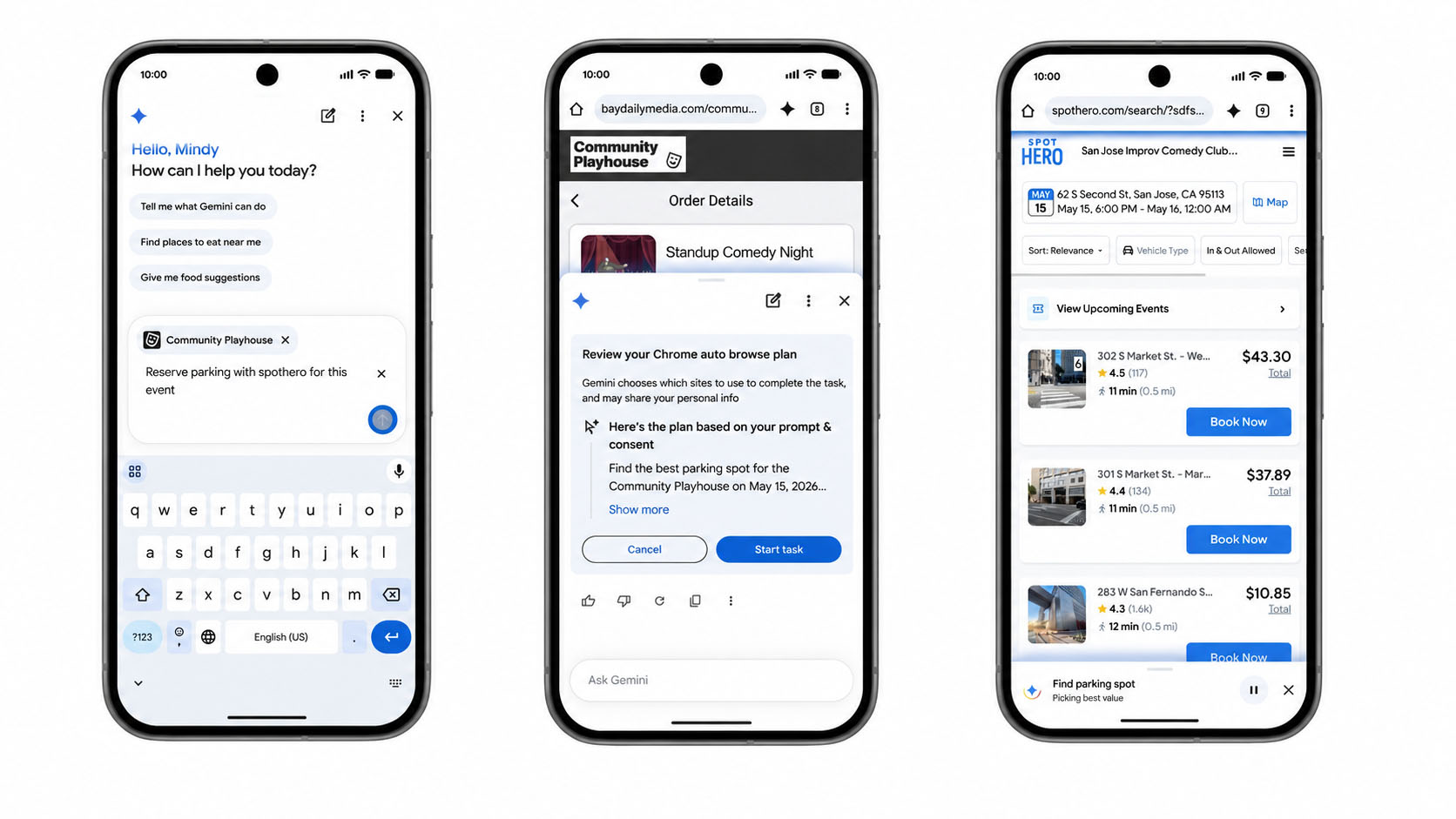
Google is also taking Gemini deeper into the Chrome browsing experience on Android. Starting later this year, Gemini in Chrome will be able to summarize web pages, compare information across multiple sites, and make it easier to search online right in the browser.
But the most interesting part is what Google calls “Chrome auto-navigation”. With this, Gemini will be able to manage routine tasks online on your behalf, including booking appointments or reserving parking spaces, as shown in the example above.
4. Smarter Autofill
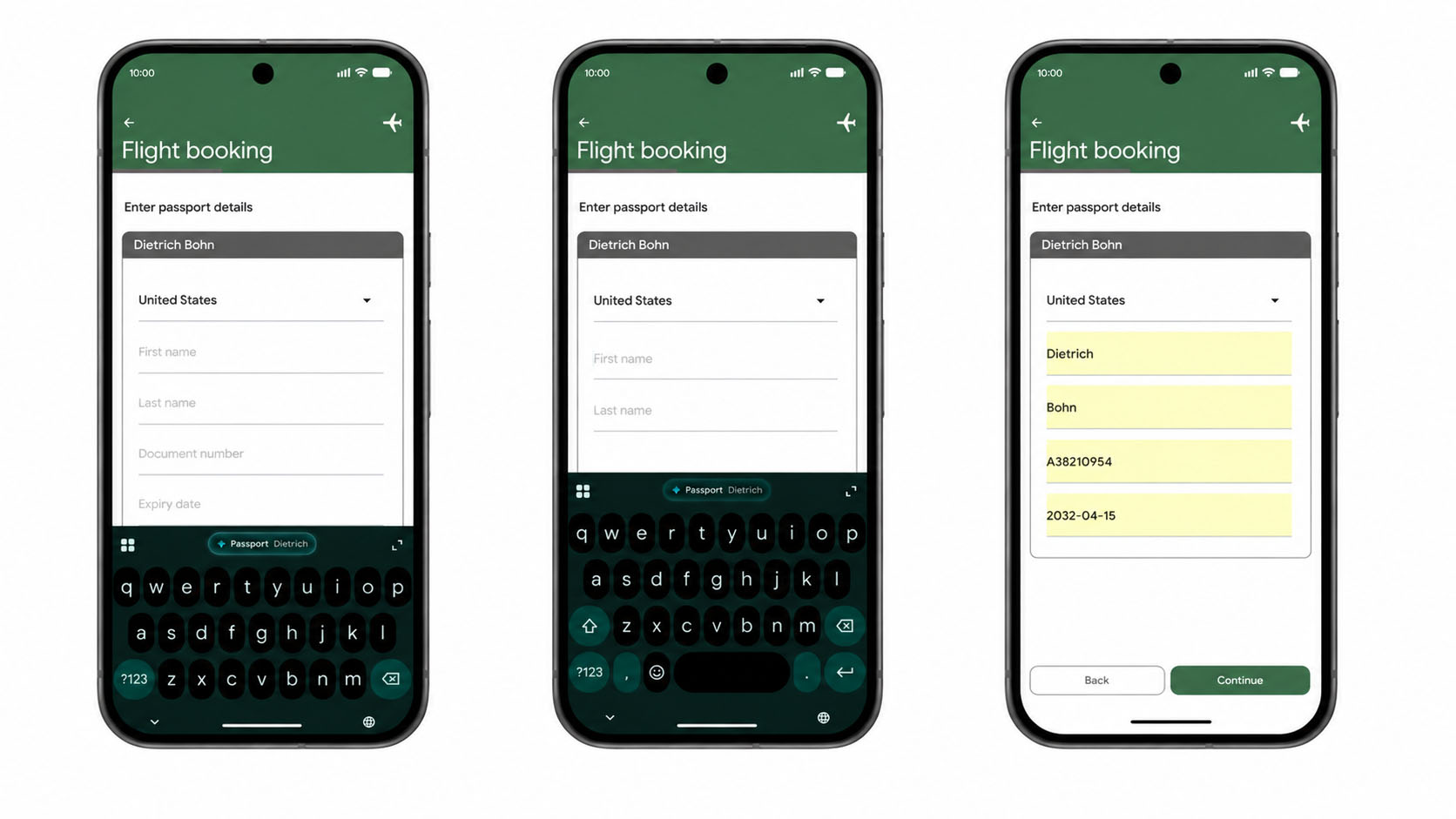
Your phone can already autofill web forms, but thanks to Gemini Intelligence, it can now be even smarter. With Gemini Intelligence enabled, Android will be able to extract relevant information from connected apps and use it to automatically fill out more complex forms.
5. Rambler voice-to-text
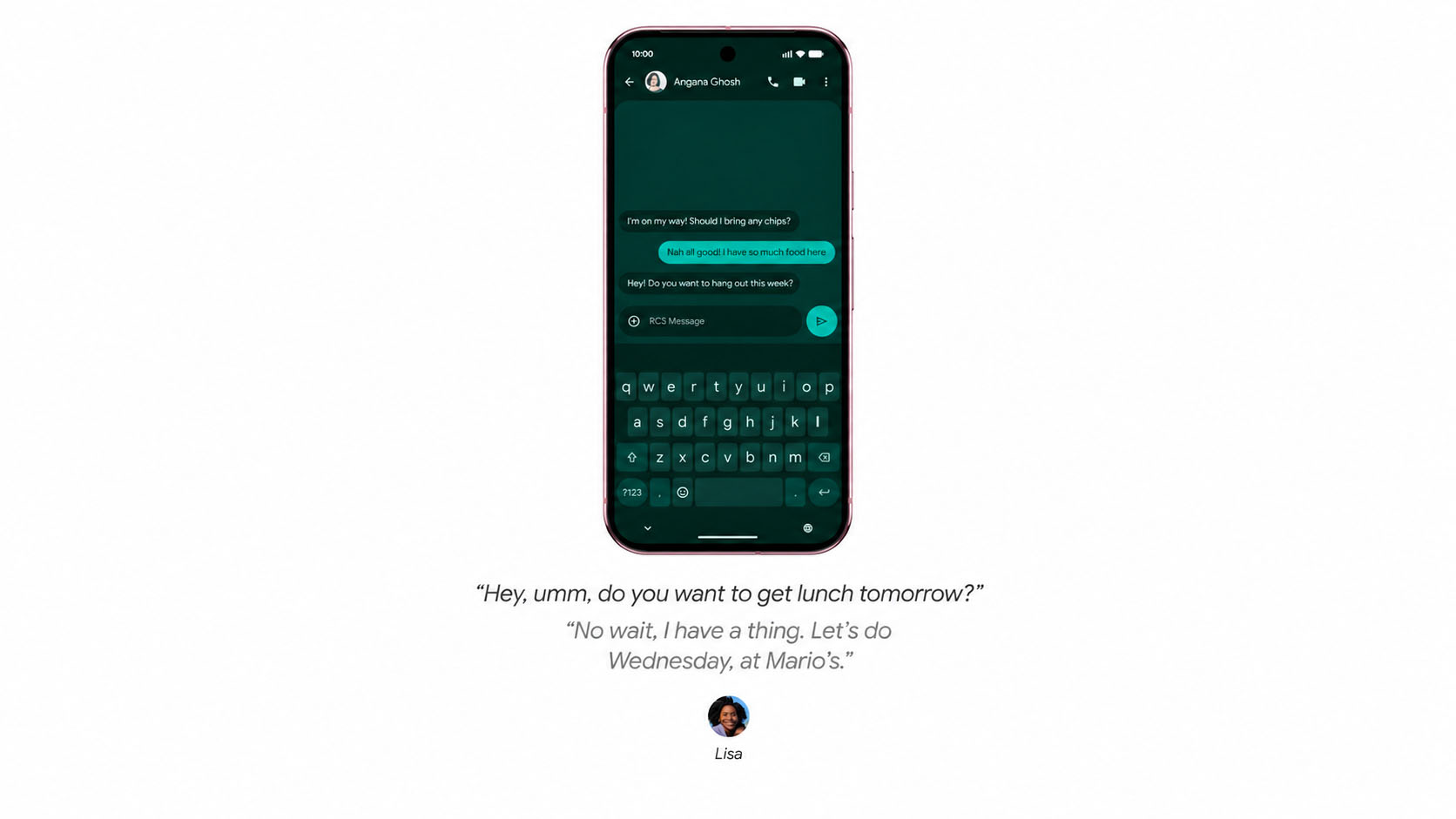
This is a nice feature that will suit people who like to ramble a little when composing text under dictation. Rambler is designed to make voice-to-text on Android more natural and refined. It’s designed to understand the way people actually speak, including pauses, repetitions, corrections, and filler words like “um” or “like.”
It will basically use AI to remove all the fluff and keep the text message to the essentials, while still maintaining your style. You can also add information or emojis to text messages after typing something.
Google also says Rambler supports multilingual conversations, allowing you to switch between languages in the same message without disrupting the system.
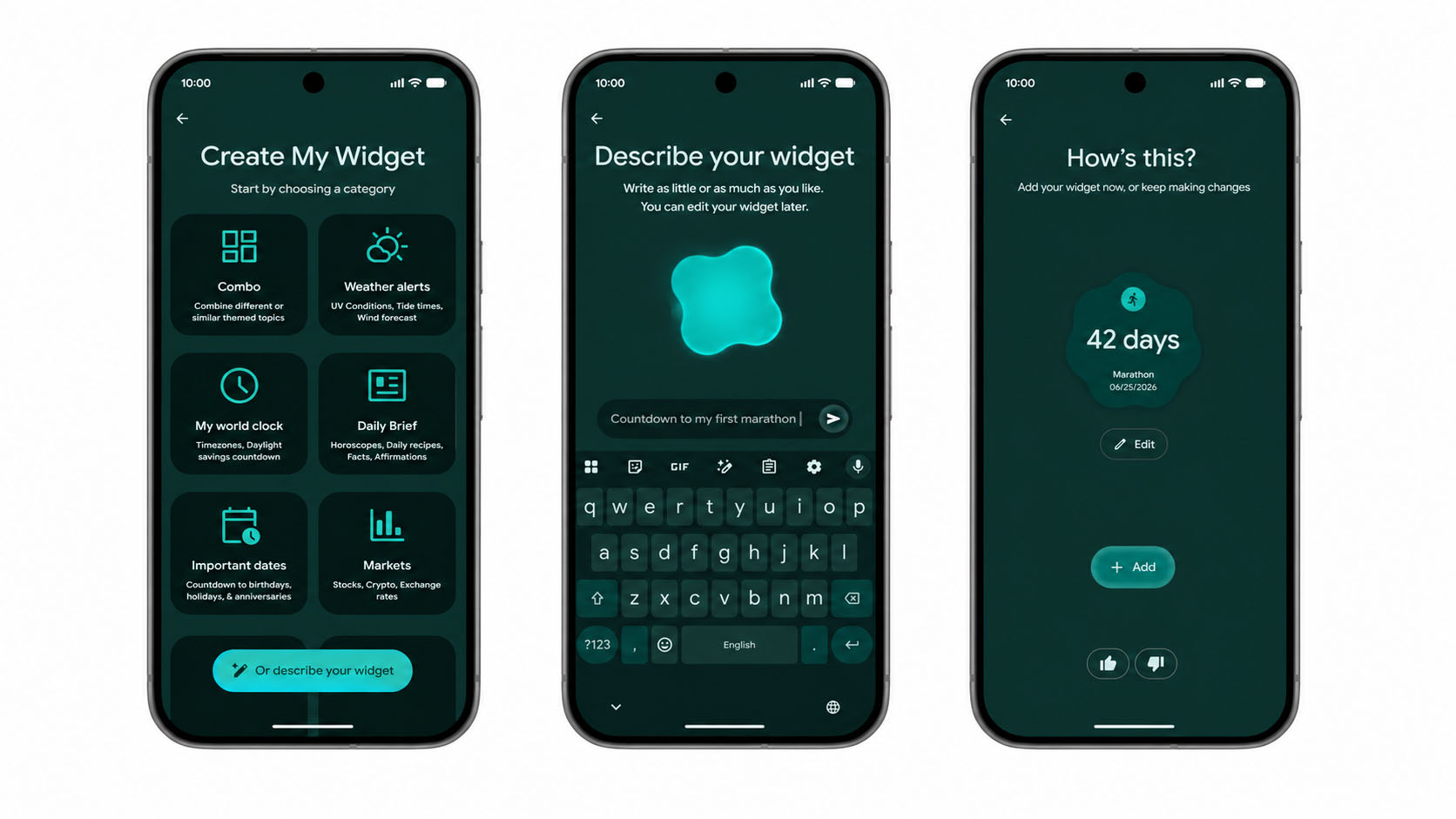
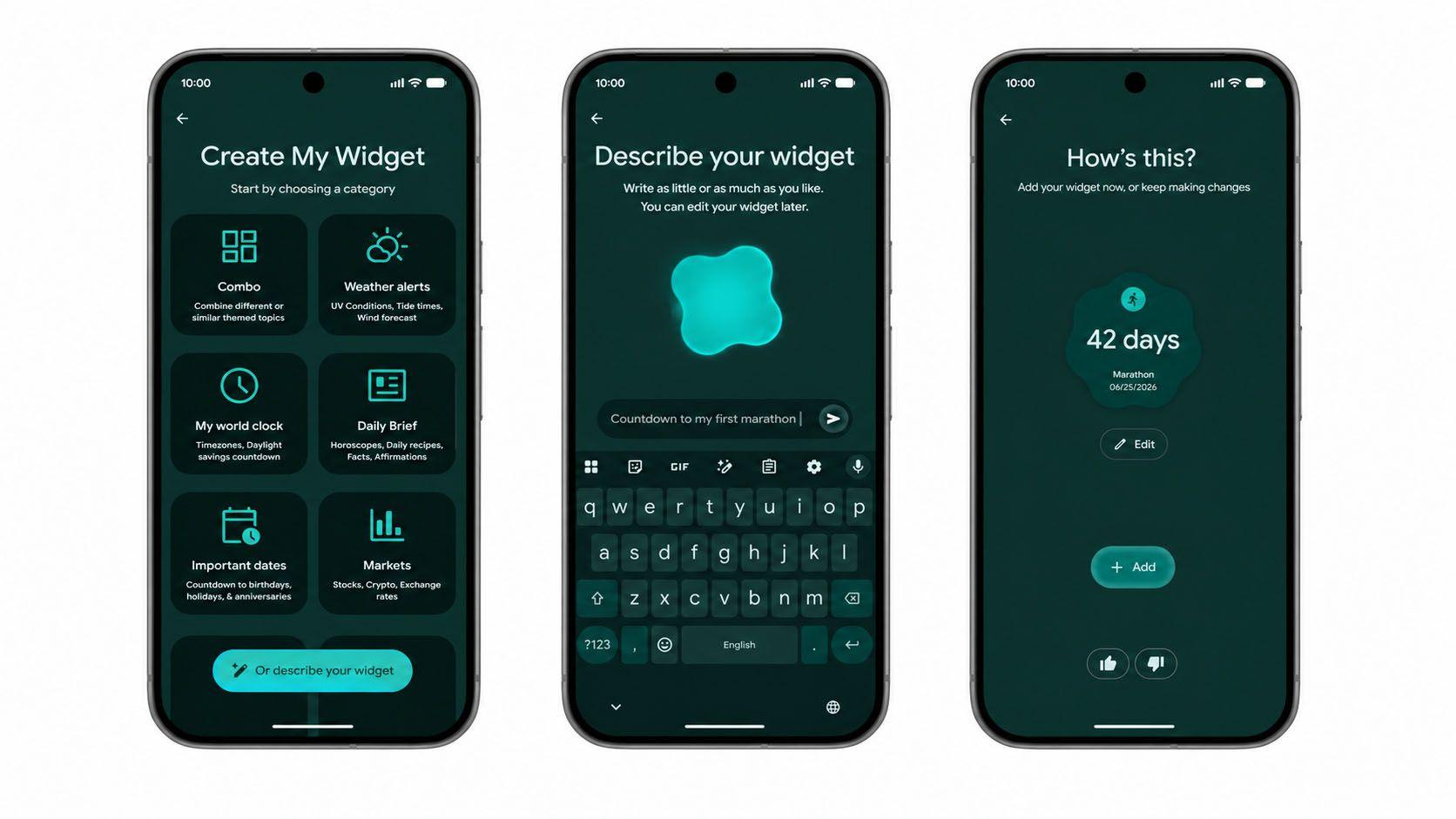
One of the coolest additions is a feature called “Create My Widget,” which lets you generate custom Android widgets (mini apps) simply by describing what you want in natural language. It’s like flavor coding: just ask Gemini Intelligence what you want the widget to do, and it will generate it for you.
In the example above, we asked Gemini to generate a simple countdown timer, but there is no limit to what you can request. Now you no longer need to wait for developers to create the widgets you want; you can simply create them without any coding skills.
7. AI-powered Material 3 Expressive UI Changes
Finally, Gemini Intelligence comes with updates to Android’s overall design language, building on Google’s Material 3 Expressive interface system. According to Google, the goal is to make the operating system calmer, more focused and less distracting while Gemini handles more background tasks.
Whether these features end up seeming genuinely useful or slightly over-designed will likely depend on how reliable Gemini actually works in everyday life. AI assistants have promised to simplify our digital lives for years, but the reality often involves clunky voice commands, limited app support, and systems that crash as soon as things get slightly complicated.
If Google can make this experience seamless and avoid making it intrusive, then Gemini Intelligence could end up being one of the best changes to how Android phones work in years.

Follow TechRadar on Google News And add us as your favorite source to get our news, reviews and expert opinions in your feeds.


