

Refresh
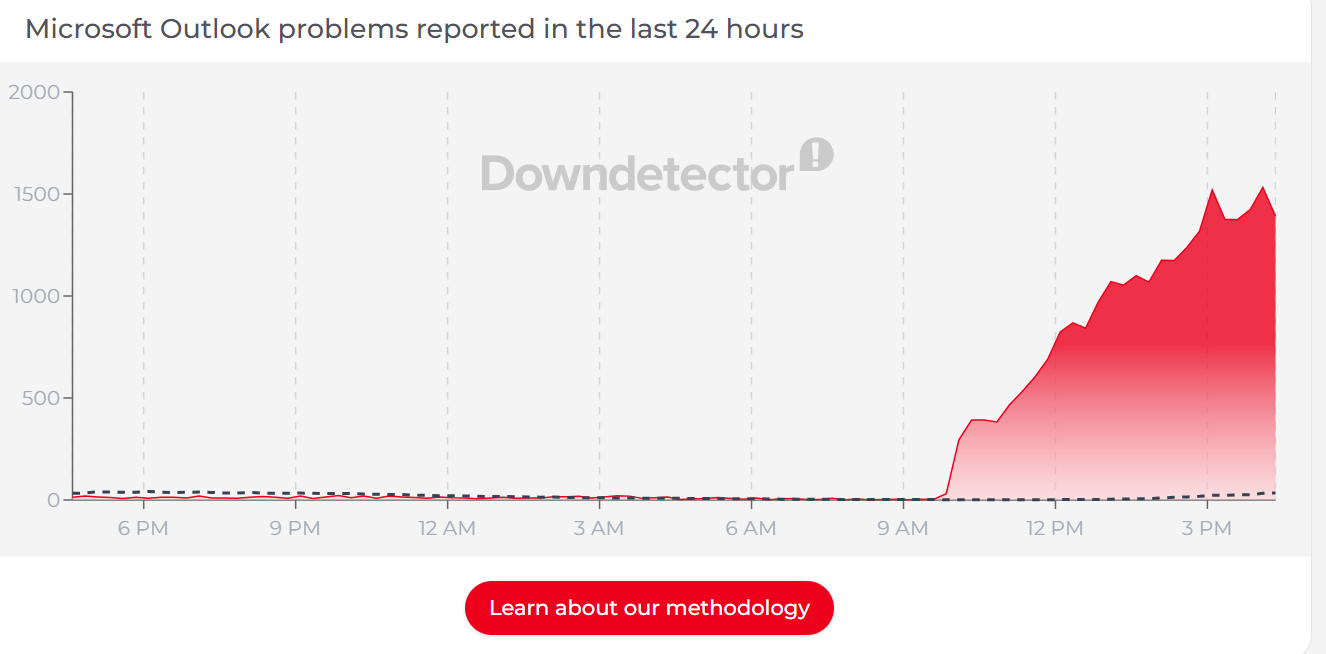
Welcome to our coverage of this outage: Not too long ago, we saw huge spikes in reporting on the DownDetector outage tracking system, with Microsoft Outlook affected.
As you can see, this is a significant spike in outage reports on DownDetector for Microsoft Outlook…
The official Azure status page has confirmed that there is an issue and it is under investigation.
Users “may experience intermittent problems connecting to Outlook.com,” the company says, as well as “intermittent connection failures, including ‘too many requests’ errors or unexpected disconnections.” Additionally, affected users may include, but are not limited to, iOS users.
It must be said that Microsoft’s latest update does not really inspire confidence.
“We are continuing to investigate the unexpected increase in error rates affecting two distinct error scenarios to identify any potential causes that may be responsible. Additionally, we are closely monitoring service telemetry to uncover any other potential actions or mitigation measures.
As this continues, outage reports continue to increase on DownDetector – although things are stabilizing slightly.
Microsoft has updated its slightly vague and helpless message, with a slightly more confident message.
“We’re seeing specific errors related to authentication key failures,” he said. “We are working to determine the underlying cause to determine our next mitigation actions.”
Interestingly, the outage appears to be limited to Microsoft Outlook, suggesting that this is a problem directly with the email program.
It’s been 40 minutes since a Microsoft update – even though outage reports seem to be stabilizing, that’s still quite a long time.
We finally received an update from Microsoft – it looks like this might be a longer issue than expected…
Things have gone quiet again: we’re still seeing a fair number of crash reports on DownDetector, but nothing from Microsoft yet.
Finally, we may have the end in sight, as a new update on the Microsoft Services Health page confirms!
“We are testing a rollback of this change to determine if this corrects the impact. In parallel, we continue to investigate unusual error patterns that have been observed previously.”
So fingers crossed – this might solve the problem!
Reporting also appears to be down on DownDetector, so that could be bad news for anyone looking to avoid emails a little longer.
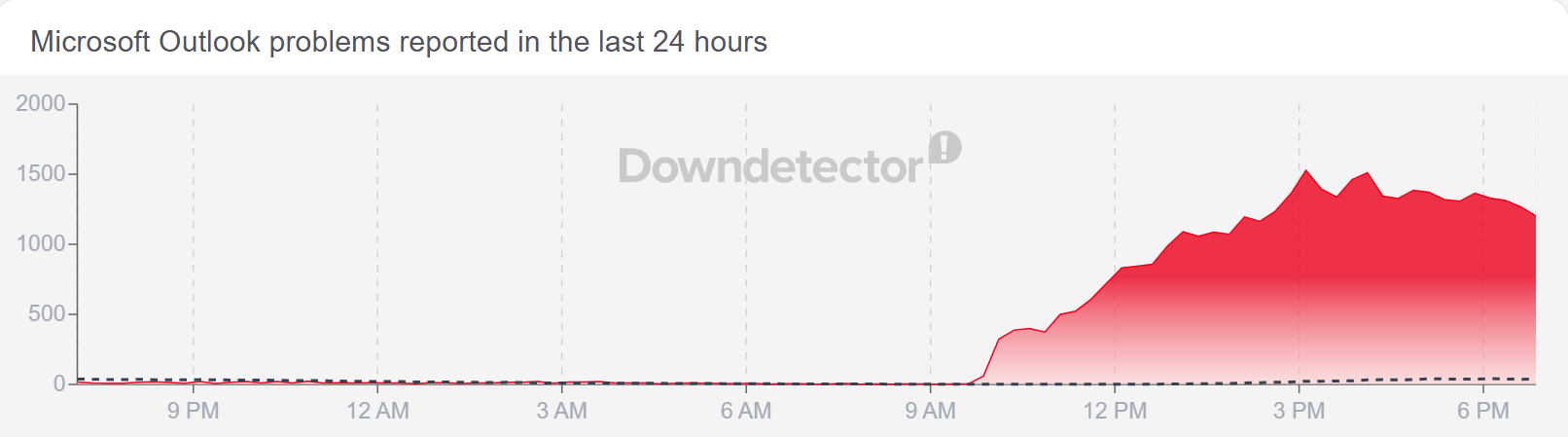
Well, this is a turning point for the books – Microsoft admitted that its previous patch didn’t work as expected.
Progress! Finally, Microsoft thinks it has found the problem, after several hours of struggle.
“We have completed rolling back this configuration change. We are now carefully monitoring the environment to determine if it worked as expected or if additional steps are required for full resolution of the incident.”
So things could almost be back to normal!
Microsoft thinks it has solved the problem!
iOS users have been particularly hard hit, he adds, providing a list of steps for Apple device users to gain access again:
-Open the Settings app on your iPhone.
-Scroll down and tap Mail.
-Select Accounts under Email Settings.
-Tap the email account for which you need to re-enter the password.
-Tap Account Settings or directly on the Password field (depending on your iOS version).
-Enter the updated or correct password in the Password field.
-Tap Done to save changes.
-Open the Mail app to confirm that the account is syncing correctly and emails are being sent/received.
Good luck!
And with that, we see outage reports coming into DownDetector, so that should (hopefully) be the end of it.


